Making an Website
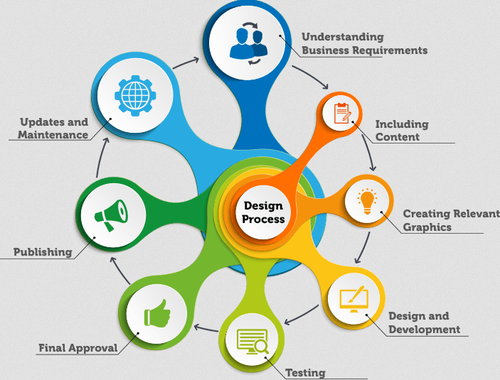
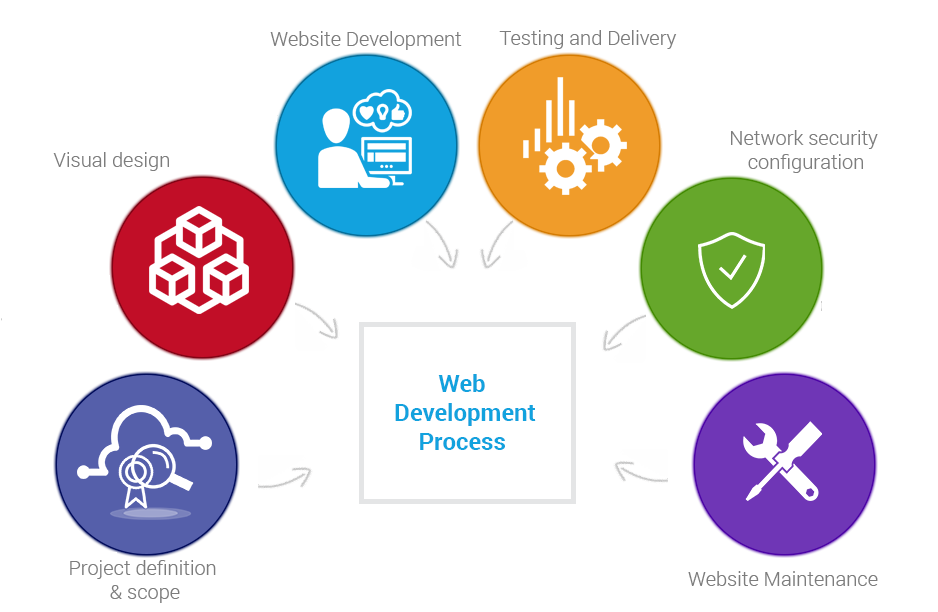
Our website making process consists of several co-related phases. A change to any part of the process requires additional alternations to all the subsequent steps.
Contact Us
Planning
Scope
Defining the Project Scope for the Website.
Defining the scope of the project is the first step in creating your website. Doing this will give us direction and dynamics for the rest of the process. We start collecting all the essential and important information about your business/project in order to create the list of requirements and goals for the project.
During this step, we focus on the following points:
The purpose of the website (informative, online marketing or e-commerce)
The target audience
Type of content you want to include on your website
Type of design and functionality you expect on your website
Technology is required to successfully complete your project.
Project Narrative
Contracts that define roles, copyright and financial points.
Once we have collected enough information to determine the full scope of your website development project, it's time to put everything in writing so that both sides can independently verify the information and easily communicate throughout the rest of the process.
Once we know the site's goals, we can define the scope of the project. I.e., what pages and features the site requires to fulfill the goal, and the timeline for building those out.
Copyright/SEO
Requirements analysis / Project charter
Goals, Target Audience, and The project charter (or equivalent document)
This includes client goals, target audience, detailed feature requests and as much relevant information as we can possibly gather. Even if the client has carefully planned his or her website, we still love to offer our useful suggestions from your experience.
The project charter (or equivalent document) sums up the information that has been gathered and agreed upon in the previous point. These documents are typically concise and not overly technical, and they serve as a reference throughout the project.

Site map/copyright & financial
Contracts that define roles, copyright and financial points.
A site map guides end users who are lost in the structure or need to find a piece of information quickly. Rather than simply listing pages, including links and a hierarchy of page organization is good practice.
This is a crucial element of the documentation and it include payment terms, project closure clauses, termination clauses, copyright ownership and timelines.
Copyright Content/SEO
Content that does both: drives SEO and attracts attention!
At this step, we have a solid understanding and also managed to gather some of the most important info about your venture.
Usually we don't jump on working on the website design until we have good amount of textual and visual content available. Web content also needs to be properly optimized if you are looking for high page rankings within some of the most popular search engines like Google or Yahoo.
We offer high-quality copyright content writing and content optimization services for affordable hourly rates.
Design
Desing Planning
Our creative and functional website design!
We can start the website design once we have prepared a sufficient amount of content. This is where the most creative phase of the entire website development process starts. Besides the current trends and your own preferences, we take other important things into consideration when creating a design mockup for your website:
Wireframe/Mock-ups
Wireframe and design elements planning & mock-ups based on requirements analysis
This is where the visual layout of the website begins to take shape. Using information gathered from the client in the planning phase, begin designing the layout using a wireframe. Pencil and paper are surprisingly helpful during this phase, although many tools are online to aid as well.
Designing mock-ups in Photoshop allows for relatively easy modification, it keeps the design elements organized in layers, and it primes you for slicing and coding when the time later on.
Review/Code Valid
Review and approval cycle & slice and code valid XHTML/CSS
A cycle of reviewing, tweaking and approving the mock-ups often takes place until (ideally) both client and contractor are satisfied with the design. This is the easiest time to make changes, not after the design has been coded.
It’s coding time. Slice the final Photoshop mock-up, and write the HTML and CSS code for the basic design. Interactive elements and jQuery come later: for now, just get the visuals together on screen, and sure to validate all of the code before moving on.
Development
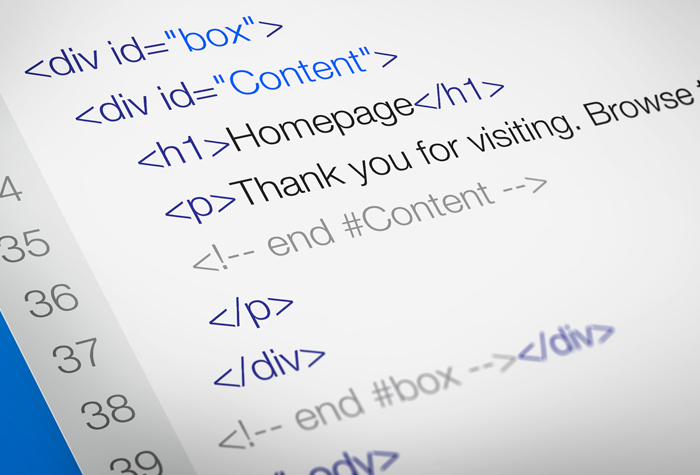
Code Process
Development involves the bulk of the programming work, as well as loading content
Keep code organized and commented, and refer constantly to the planning details as the full website takes shape. Take a strategic approach, and avoid future hassles by constantly testing as we go.

Framework
Build development framework
This is when unique requirements might force us to diverge from the process. If we are using Ruby on Rails, an ASP/PHP framework or a content management system, now is the time to implement it and get the basic engine up and running. Doing this early ensures that the server can handle the installation and set-up smoothly.
Code Tempaltes
Code templates for each page type
A website usually has several pages (e.g. home, general content, blog post, form) that can be based on templates. Creating our own templates for this purpose is good practice.
Develop & Testing
Develop and test special features and interactivity.
Here’s where the fancy elements come into play. we like to take care of this before adding the static content because the website now provides a relatively clean and uncluttered workspace. Some of us like to get forms and validation up and running at this stage as well.
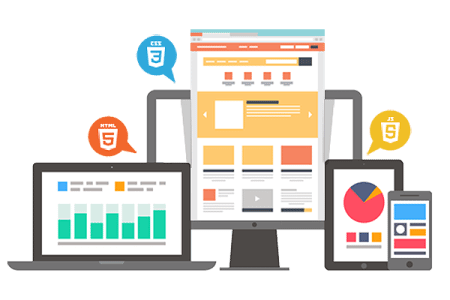
Content
Fill with content.
Time for the boring part: loading all of the content provided by the client or writer. Although mundane, don’t misstep here, because even the simplest of pages demand tight typography and careful attention to detail.
Testing/Verification
Test and verify links and functionality
This is a good time for a full website review. Using our file manager as a guide, walk through every single page you’ve created—everything from the home page to the submission confirmation page—and make sure everything is in working order and that we haven’t missed anything visually or functionally.
Deploying
Launch
Launch phase is to prepare the website for public viewing.
This requires final polishing of design elements, deep testing of interactivity and features and, most of all, a consideration of the user experience. An important early step in this phase is to move the website, if need be, to its permanent Web server. Testing in the production environment is important because different servers can have different features and unexpected behavior (e.g. different database host addresses).
Polishing
Polishing a basically completed design can make a big differencet
Particularly if we’re not scrambling to meet the deadline, polishing a basically completed design can make a big difference. Here, we can identify parts of the website that could be improved in small ways. After all, we want to be as proud of this website as the client is.
Server
Transfer to live server
This could mean transferring to a live Web server (although hopefully all the testing in the production environment), “unhiding” the website or removing the “Under construction” page. Our last-minute review of the live website happens now. We sure the client knows about this stage, and be sensitive to timing if the website is already popular.
Testing
Code validators, broken-link checkers
By running the website through the final diagnostics using the available tools: code validators, broken-link checkers, website health checks, spell-checker and the like. we want to find any mistakes yourself rather than hearing complaints from the client or an end-user.
Cross-Browser
Final cross-browser check (IE, Firefox, Chrome, Safari, Opera, iPhone, BlackBerry).
We don’t forget to check the website in multiple browsers one last time. Just because code is valid, doesn’t mean it will sparkle with a crisp layout in IE 6.
Post-Launch
Post Startup
Business re-enters the picture at this point
Business re-enters the picture at this point as we take care of all the little tasks related to closing the project. Packaging source files, providing instructions for use and any required training occurs at this time. We always leave the client as succinctly informed as possible, and try to predict any questions they may have. We don’t leave the project with a closed door; communicate that you’re available for future maintenance and are committed to ongoing support. If maintenance charges haven’t already been shared, establish them at this point of the phase.
Hand-Off
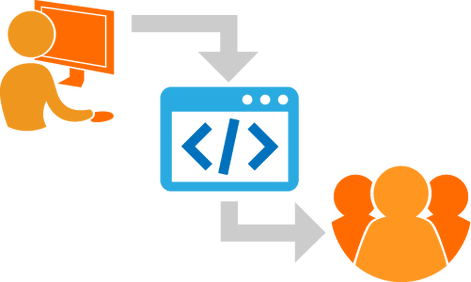
Hand off to client
We sure the client is satisfied with the product and that all contractual obligations have been met (refer to the project charter). A closed project should leave both us and the client satisfied, with no burned bridges.

Documentation/Files
Provide documentation and source files
We provide documentation for the website, such as a soft-copy site map and details on the framework and languages used. This will prevent any surprises for the client later on, and it will also be useful if to ever work with another Web developer.
Project Close
Project close, final documentation
At the end we get the client to sign off on the last checks, provide our contact information for support, and officially close the project. Maintain a relationship with the client, though; checking in a month down the road to make sure everything is going smoothly is often appreciated.